In the era of remote business operations, digital freelance contracts, and paperless enterprise workflows, printing out documents simply to sign them with a physical pen is an archaic, time-wasting bottleneck. Whether you are executing a commercial lease agreement, signing an employment offer letter, or finalizing a client proposal generated with our Invoice Generator, executing electronic signatures swiftly and securely is essential. By utilizing our browser-based tool to Sign PDF Online Free, professionals and individuals can execute legally binding digital signatures in seconds with complete client-side data privacy.
Unlike predatory corporate document platforms that lock users behind costly monthly subscriptions, require account registrations, or store confidential PDF files on external third-party cloud servers, our document suite executes 100% inside your web browser. In this masterclass guide, we explore the legal enforceability of electronic signatures, examine key federal compliance frameworks, and demonstrate how to optimize your paperless document workflow alongside companion tools like our Compress PDF and Merge PDF Files utilities.
What Is an Electronic Signature and Is It Legally Binding?
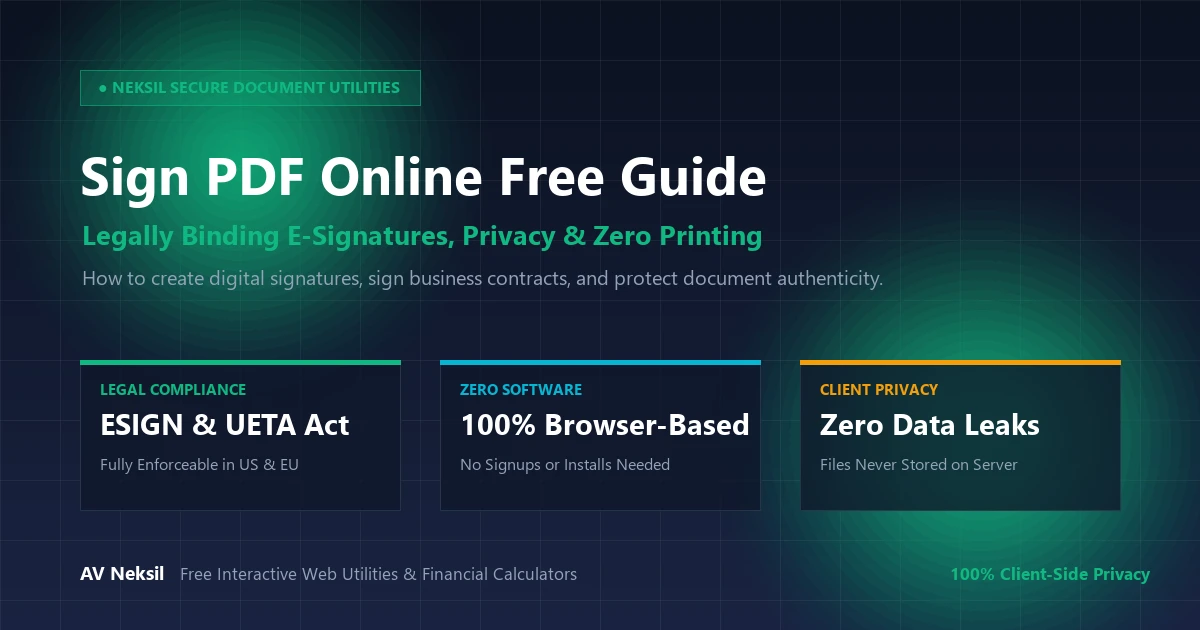
An electronic signature (e-signature) is broadly defined as an electronic sound, symbol, or process attached to or logically associated with a contract or record and executed or adopted by a person with the intent to sign the document. In the vast majority of developed economies, electronic signatures carry the exact same legal weight and enforceability as traditional handwritten wet-ink signatures.
In the United States, two landmark statutory frameworks establish the federal legality of digital signatures:
- The Electronic Signatures in Global and National Commerce Act (ESIGN Act): Passed by the US Congress in 2000, the ESIGN Act established that contracts and electronic signatures cannot be denied legal validity or enforceability solely because they are in digital form.
- The Uniform Electronic Transactions Act (UETA): Adopted by 49 states, the District of Columbia, and the US Virgin Islands, UETA provides harmonized state-level legal validity for electronic records, commercial agreements, and signatures.
Similarly, across the European Union, the eIDAS Regulation (Regulation (EU) No 910/2014) mandates that electronic signatures cannot be refused legal admissibility in court proceedings simply because they were executed electronically.
The Three Tiers of Digital Signatures Explained
Modern legal and technical frameworks recognize three distinct levels of electronic signatures. Understanding their differences ensures you apply the correct verification level for each transaction:
| Signature Classification | Verification Mechanism | Common Everyday Use Cases | Legal Enforceability Tier |
|---|---|---|---|
| Simple Electronic Signature (SES) | Drawn signature, typed name, or uploaded signature image attached directly to a PDF | Non-disclosure agreements (NDAs), sales contracts, vendor invoices, lease agreements, HR forms | 100% Enforceable for standard business agreements under the US ESIGN Act |
| Advanced Electronic Signature (AES) | Uniquely linked to the signatory with cryptographic tampering detection and audit trails | Commercial banking contracts, commercial credit lines, enterprise software agreements | High legal evidentiary weight with tamper-evident hashing |
| Qualified Electronic Signature (QES) | Issued by a trusted government-accredited Certificate Authority (CA) with hardware token | Court filings, international treaties, real estate title deeds, sovereign government tenders | Statutory equivalent to a notarized physical signature |
Why Browser-Side Signing Is Superior for Privacy and Data Security
Most commercial electronic signature tools require you to upload your PDF to a remote cloud server. This introduces serious privacy and corporate espionage hazards:
- Server-Side Data Exposure: Financial disclosures, tax records, and client contracts stored in third-party server databases are vulnerable to data breaches and insider leaks.
- Mandatory Account Signups: Corporate tools often demand credit card details or lock signed downloads behind aggressive paywalls after a 7-day trial.
At Neksil, our engine to Sign PDF Online Free operates using modern HTML5 Canvas and WebAssembly technologies. Your file is rendered and signed directly in your local browser sandbox; your document is never uploaded to any remote server, ensuring 100% confidentiality.
Three Intuitive Ways to Sign Your PDF on Neksil
Our interactive signature canvas accommodates all preferences and hardware devices:
- Draw Signature (Freehand): Use your mouse, laptop trackpad, or touchscreen stylus to draw an authentic, handwritten signature directly on screen.
- Type Signature (Calligraphic Styles): Type your legal name and choose from elegant cursive typography styles that mimic a formal executive pen stroke.
- Upload Signature Image: If you already have a scanned image of your handwritten wet-ink signature (PNG or JPG), upload it directly to stamp it onto the PDF at any position or scale.
Complete Paperless Document Workflow: Merge, Sign, and Compress
Sophisticated corporate operators frequently combine document operations into a seamless pipeline:
Professional Workflow Blueprint:
- Combine contracts and exhibits into a single master document using our Merge PDF Files tool.
- Place initials, dates, and full legal signatures across all signature lines using Sign PDF Online Free.
- Optimize the finalized signed contract for email delivery using our browser-based Compress PDF utility, reducing file weight by up to 80% without blurring signature lines.
Step-by-Step Guide: How to Sign a PDF in Under 30 Seconds
Signing any PDF agreement is frictionless:
- Upload Your Document: Open the free Sign PDF Online Free tool and drag your PDF file into the designated canvas.
- Create Your Signature: Select “Draw”, “Type”, or “Upload” to generate your custom signature.
- Position and Resize: Click the signature to drag it directly onto the contract’s signature block; adjust scale sliders for a perfect visual fit.
- Add Dates or Initials (Optional): Place supplementary date stamps or printed name fields as required.
- Download Your Signed PDF: Click “Export & Download” to instantly save the flattened, tamper-evident PDF to your device.
Frequently Asked Questions (FAQ)
Answers to common questions regarding free electronic PDF signing:
Is signing a PDF online truly free on Neksil?
Yes, 100% free with zero document limits, watermark branding, or trial expirations. You can sign unlimited documents completely free of charge.
Can the other party tell that I signed the PDF online?
The exported document is rendered as a clean, standardized PDF. The signature appears as a crisp, professional graphic stamp integrated seamlessly into the document layers.
Are my sensitive documents stored on Neksil servers?
No. All rendering and canvas manipulation executes entirely within your client-side browser memory. Your files never touch our web servers, ensuring total privacy.
Conclusion: Streamline Your Digital Contracts Today
Don’t let printing, scanning, or expensive e-signature subscriptions slow down your business deals. Use our free, fast, and completely private tool to Sign PDF Online Free today and experience seamless digital document management without limits.