
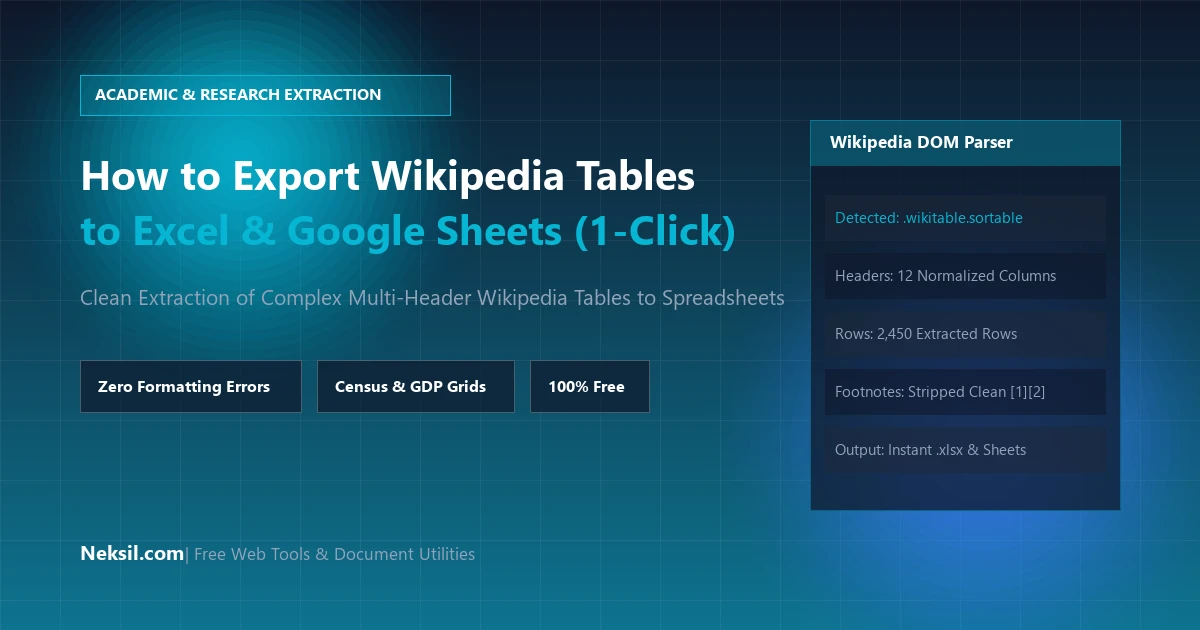
Learning how to export wikipedia table to excel is an indispensable skill for academic researchers, data journalists, market analysts, and students worldwide. Wikipedia represents the largest open-access encyclopedic storehouse of structured tabular records on earth—spanning global demographic censuses, country GDP rankings, Olympic medal tallies, historical election results, and Fortune 500 revenues. However, attempting to copy-paste these dense .wikitable grids directly into spreadsheets almost always breaks row alignment, scatters footnote brackets (like [1] or [a]), and corrupts numerical sorting.
📚 Quick Guide: Exporting Wikipedia Tables to Spreadsheets
- The 1-Click Fast Method: Use the free Neksio Table Capture Chrome Extension. It automatically identifies
.wikitable.sortablecontainers, strips citations cleanly, and exports an authentic Microsoft Excel (.xlsx) file in under 3 seconds. - Google Sheets Cloud Method: Use the formula
=IMPORTHTML("https://en.wikipedia.org/wiki/Page_Name", "table", 1)to stream public Wikipedia tables into a cloud worksheet. - Citation Stripping: Wikipedia reference links (e.g.
[12],[note 1]) prevent Excel from recognizing numbers. Neksio sanitizes these brackets automatically during DOM traversal. - Related Pillar Guides: For a comprehensive overview of general web-to-sheet methods, review our flagship masterclass on How to Export Table from Website to Excel Cleanly.
1. The Anatomy of Wikipedia Tables: Why Manual Copying Breaks Down
Under the hood, Wikipedia articles format tables utilizing the open-source MediaWiki engine, assigning classes such as class="wikitable sortable jquery-tablesorter". While these tables look beautifully rendered on your laptop screen, copying them with a standard cursor drag triggers several major structural breakdowns:
- Multi-Level Header Spans (Rowspan & Colspan): Wikipedia tables often feature complex nested headers—such as an overarching header for “2026 Economic Indicators” spanning three subordinate columns for “Nominal GDP”, “PPP”, and “Growth Rate”. Plain clipboard copying cannot resolve HTML
colspanattributes, shifting subsequent columns out of alignment. - Reference Citation Tags: Almost every cell on Wikipedia contains reference citations (e.g., “United States $28.78 Trillion[3][14]”). In standard Excel, the trailing citation converts numeric data into an uncalculable text string, disabling mathematical SUM, AVERAGE, and chart rendering.
- Hidden Sorting Metadata: Wikipedia embeds hidden sort-keys inside span tags to handle numerical ordering. Manual copy-pasting pulls these hidden alphanumeric strings into your worksheet, creating duplicate records.
2. Method 1: The 1-Click Browser Solution (Neksio Table Capture)
The most reliable and accurate approach to export any Wikipedia table is using the Neksio Table Capture Chrome Extension. Designed specifically with advanced DOM parsing heuristics, Neksio isolates Wikipedia tables and extracts cleanly formatted spreadsheets with zero manual clean-up required.
⚡ Step-by-Step: Exporting Wikipedia Tables with Neksio
- Open the Target Wikipedia Page: Navigate to any Wikipedia article containing data tables (e.g., List of countries by GDP, List of metropolitan areas, or Historical election results).
- Click Neksio Table Capture: Tap the Neksio icon in your Chrome toolbar. The extension scans the page in milliseconds and highlights all available
.wikitableelements with a clean emerald outline. - Preview & Select Your Table: A floating modal displays a high-fidelity preview of each detected table, confirming exact row counts, header names, and column counts.
- 1-Click Export to Excel: Click “Export to Excel (.xlsx)” to generate a native Microsoft Excel file with perfectly aligned numeric data and stripped citation brackets.
- Copy to Google Sheets: If you work in Google Docs or Sheets, click “Copy Clean Table” and paste with
Ctrl + Vdirectly into your cloud spreadsheet.
Extract Wikipedia & Web Tables Without Row Limits
Never settle for tools that cap free exports at 250 rows. Neksio Table Capture gives you completely unlimited row extraction, instant Excel downloads, and 100% client-side privacy.
3. Method 2: Google Sheets IMPORTHTML Formula
Because Wikipedia is a public website with static HTML responses, you can also link Wikipedia tables directly into Google Sheets using the native =IMPORTHTML() formula:
=IMPORTHTML("https://en.wikipedia.org/wiki/List_of_countries_by_GDP_(nominal)", "table", 3)
How to determine the table index: Wikipedia pages frequently contain infoboxes, navigational sidebars, and metadata grids before the primary content table. To find the correct index number, increment the integer (1, 2, 3…) until your target dataset renders. While this formula keeps your sheet synchronized with Wikipedia edits, it still pulls reference brackets ([1]), requiring nested =REGEXREPLACE() formulas to sanitize.
4. Method 3: Microsoft Excel Power Query
If you prefer working exclusively inside Microsoft Excel:
- Open Excel and navigate to the Data tab.
- Click From Web and paste your Wikipedia article URL.
- In the Navigator window, Excel detects all HTML tables on the page. Select the target table and click Transform Data.
- Inside the Power Query Editor, use Replace Values to strip footnote brackets (
[and]), set column data types to Decimal Number, and click Close & Load.
While powerful, Power Query requires 5 to 7 manual clicks per table, making it significantly slower than browser extension extraction when auditing dozens of reference articles. For a full comparison of tools, see our benchmark on Best Table Capture Chrome Extensions Free vs Pro.
5. Frequently Asked Questions (FAQ)
How do I remove citation brackets like [1] or [a] from exported Wikipedia tables?
When using Neksio Table Capture, reference citations are removed automatically during extraction. If you manually copied the data into Excel, select the column, press Ctrl + H (Find & Replace), enter \[*\] in the Find field, leave Replace blank, and click Replace All.
Can I export multiple Wikipedia tables at once?
Yes. Neksio Table Capture identifies every individual table on the page simultaneously. You can preview and export each table as separate sheets or combine them cleanly without reloading the page.
What if a Wikipedia report is hosted in an embedded PDF format?
If your target data is stored within a linked PDF citation rather than an active webpage, use our free browser-based PDF to Excel Converter on Neksil to extract clean tabular arrays. You can also explore our 236+ free web utilities at Neksil Online Tools.
6. Summary & Recommended Setup
Extracting Wikipedia tables no longer requires frustrating manual copy-pasting or complex coding. By leveraging Neksio Table Capture on the Chrome Web Store, you can transform complex multi-header encyclopedic tables into pristine Microsoft Excel workbooks and Google Sheets in one click.