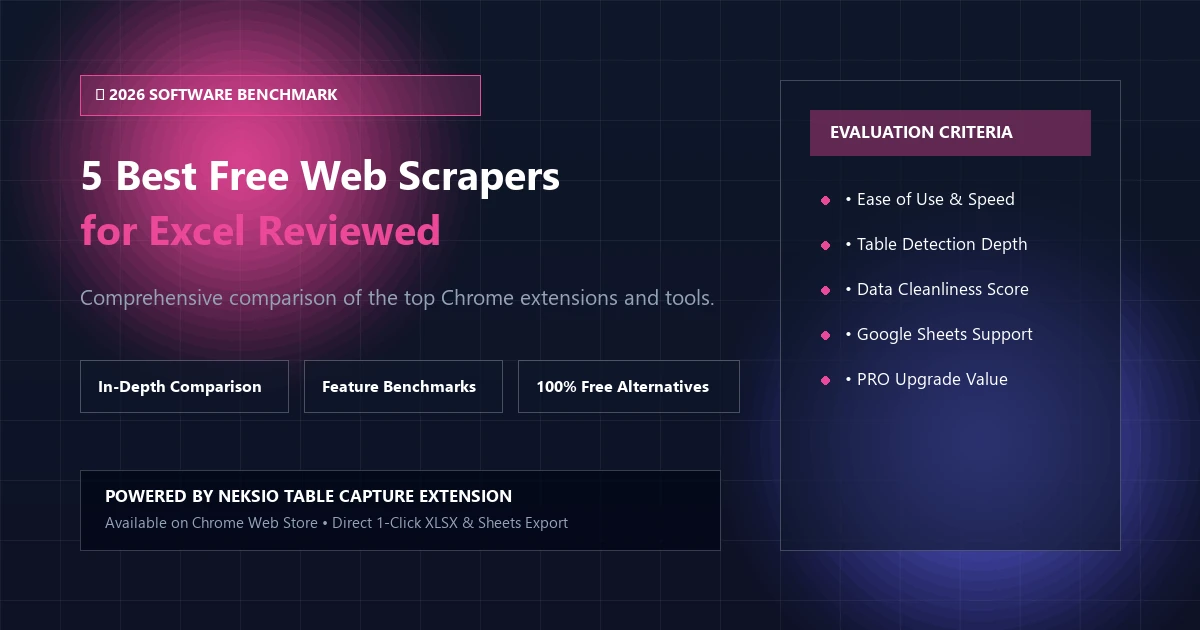
Finding a dependable free web scraper to excel can feel like searching for a needle in a haystack. Many tools advertised as “free” lock you behind aggressive credit card paywalls, impose tiny 50-row export limits, or require hours of tedious XPath configuration. For business professionals, researchers, and sales teams who simply need to extract clean web data into spreadsheets without coding, choosing the right software is critical. In this comprehensive benchmark, we test and rank the top 5 free web scrapers for Microsoft Excel and Google Sheets.
🏆 #1 Ranked Web Scraper: Neksio Table Capture
Rated as the fastest and most user-friendly no-code tool in our tests, the Neksio Table Capture Chrome Extension automatically detects tables, repairs broken cells, and downloads clean Excel files in 1 click.
1. Evaluation Criteria: How We Tested
To ensure an unbiased evaluation, we tested each scraping tool against three challenging real-world web environments:
- A 1,000-Row Wikipedia Demographic Table: Evaluated handling of citations, merged headers, and footnote brackets.
- An E-Commerce Product Listing: Evaluated handling of currency signs, image URLs, and stock status.
- A Dynamic JavaScript / Div Grid: Evaluated ability to detect tables coded without standard HTML
<table>tags.
| Tool | Type | Free Limit | Setup Curve | Overall Score |
|---|---|---|---|---|
| 1. Neksio Table Capture | Chrome Extension | Unlimited Tables | Zero (1-Click) | 9.9 / 10 |
| 2. Excel Power Query | Built-in Excel Tool | Unlimited | Moderate | 8.7 / 10 |
| 3. Google Sheets IMPORTHTML | Cloud Formula | 50 calls / sheet | Easy | 8.4 / 10 |
| 4. Web Scraper (Sitemap Tool) | Chrome Extension | Unlimited local | Steep (JSON config) | 7.9 / 10 |
| 5. Octoparse Free Tier | Desktop Software | 10 tasks cap | Complex Workflow | 7.2 / 10 |
2. Detailed Breakdown of the Top 5 Free Web Scrapers
#1. Neksio Table Capture — The Fastest 1-Click Browser Solution
For business professionals who value speed and simplicity, Neksio Table Capture is the undisputed champion. It requires zero configuration. As soon as you navigate to a page and click the extension icon, it automatically highlights all tables, cleans non-breaking web spaces, resolves merged headers, and lets you download a native .xlsx or .csv file instantly.
Multi-Page Automation
Upgrade to Neksio PRO for Multi-Page Pagination
Need to scrape large directories spanning 20+ pages? The Neksio Table Capture PRO Edition features automated Next Page crawl. It cycles through paginated catalogs automatically and merges all rows into a single master spreadsheet.
#2. Microsoft Excel Power Query
If you already have Microsoft 365, Power Query provides a native “From Web” connector. It is rock-solid for static tables on public URLs. However, it cannot parse dynamic JavaScript or scrape behind login walls. Learn more in our guide on scraping website data to Excel free.
#3. Google Sheets =IMPORTHTML()
Google Sheets offers built-in formulas like =IMPORTHTML("URL", "table", 1) that pull live tables into cloud sheets. Learn the full setup in our guide on exporting web tables to Google Sheets.
#4. Web Scraper (Free Chrome Extension)
Web Scraper is a capable free developer extension that lets you build sitemaps using CSS selectors. While powerful, it requires learning selector syntax and configuring JSON models.
#5. Octoparse (Desktop App)
Octoparse provides a visual point-and-click desktop interface. The software handles basic scraping well, but the free tier restricts exports to 10 tasks and throttles extraction speeds.
🔗 Expand Your Data Intelligence Skills:
- Review Table Capture alternatives: Table Capture Chrome Extension: Pro vs Free In-Depth Review
- Extracting complex web tables: How to Extract Tables from Websites into Excel & Google Sheets
- Pull live pricing data: How to Pull Live Web Data & Price Lists into Excel
Frequently Asked Questions (FAQ)
What is the best free web scraper to Excel without coding?
The best free no-code tool is the Neksio Table Capture Extension. It scans any page and exports native, calculable Excel spreadsheets in 1 click with zero setup.
Do these free scrapers work on password-protected sites?
Browser extensions like Neksio Table Capture work seamlessly on authenticated pages because they run directly inside your logged-in browser session. Cloud scrapers like Octoparse fail on private pages.
Can I scrape data directly into Google Sheets instead of Excel?
Yes! Neksio Table Capture includes a dedicated “Copy to Sheets” feature that formats data for flawless pasting into any Google Spreadsheet.
Is web scraping with browser extensions safe?
Yes. Browser extensions operate locally on your machine, don’t store your sensitive browsing data on external servers, and naturally avoid IP blocking because requests appear as standard web browsing.
How do I scrape large multi-page catalogs automatically?
For massive multi-page scraping, upgrade to Neksio Table Capture PRO. It features automated pagination that crawls across dozens of pages and merges them into a single spreadsheet.